
















Engineering pc software
Energetika-VDS Data Logger 1.0 PC software
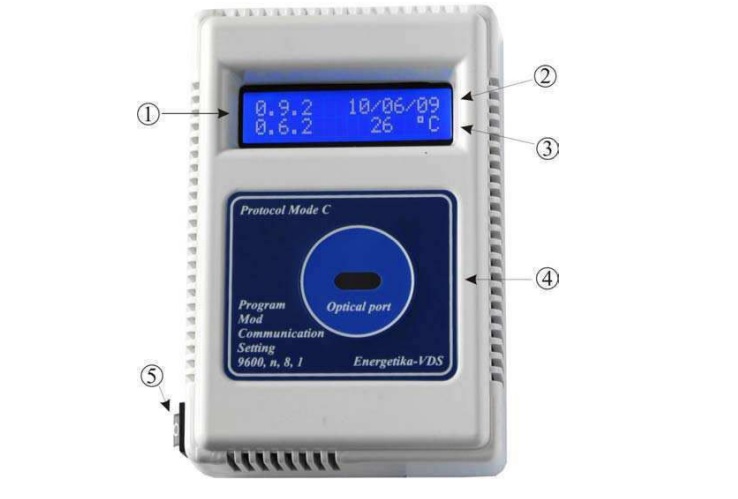
Windows desktop pairing for our TLU 1.0 temperature logger: download the IEC 62056 Mode C log over the IR port, view as table or chart, export to Microsoft Excel.
What it is
TLU 1.0 ships paired with the Energetika-VDS Data Logger 1.0 / TEMPERATURE LOGGING UNIT SUPPORT SOFTWARE. The operator opens the IR connection, downloads the full 9356-record log (or 18 712 on the extended-memory variant), and inspects the data either as a table or as a chart with MIN/MAX overlay. Communication mode selector covers IEC 62056 Mode A through Mode D so the same software works with any third-party logger that follows the standard. Set-time, set-cumulation-counter, set-serial-number, and calibration-constant read/write are all accessible from the Tools menu. Data exports to Microsoft Excel.
What we built
- File / Tools / Settings / Help menu structure
- Manufacturer / model / serial bar across the top of the workspace
- Communication log pane
- Tools menu: Last Access Data, View Full Data-Set, Read Full Sessions, Access All Registers, Set Serial Number, Set Time and Date, Set Cumulation Counter, Read / Set Calibration Constant, End Session
- Chart pane with MIN/MAX overlay highlighting outlier events
Technologies
- IEC 62056 Mode C optical link (IR port on the TLU 1.0)
- Selectable Mode A / B / C / D for third-party loggers
- Tabular + chart view with MIN/MAX overlay
- Microsoft Excel export
Deliverables
- Windows installer (bundled with the TLU 1.0 unit)
- Sample calibration constants file
- Operator manual